

e*trade Setup
Last updated February 19, 2026
How to Connect e*trade to Coinrule (OAuth Setup Guide)
You can now connect your e*trade account to Coinrule using a secure OAuth integration.
Unlike traditional API key connections, OAuth allows you to securely authorize Coinrule directly through e*trade, without manually creating or copying API keys.
In this step-by-step guide, we’ll show you exactly how to connect your e*trade account to Coinrule and start automating your trading strategies.
What You Need Before Getting Started
Before connecting e*trade to Coinrule, make sure you have:
- ✅ A verified e*trade account
- ✅ An active Coinrule account
- ✅ Access to your e*trade login credentials
If you don’t yet have a e*trade account, you’ll need to create one directly on e*trade before proceeding.
How to Connect e*trade to Coinrule
Step 1: Log In to Coinrule
Sign in to your Coinrule account.
From your dashboard, navigate to the “Exchanges” section.
Step 2: Select e*trade
Inside the Exchanges page:
- Click “Add Exchange”
- Select e*trade from the dropdown menu
Coinrule will then display an authentication pop-up.
Step 3: Click “Continue”
You will see a screen similar to the one below:
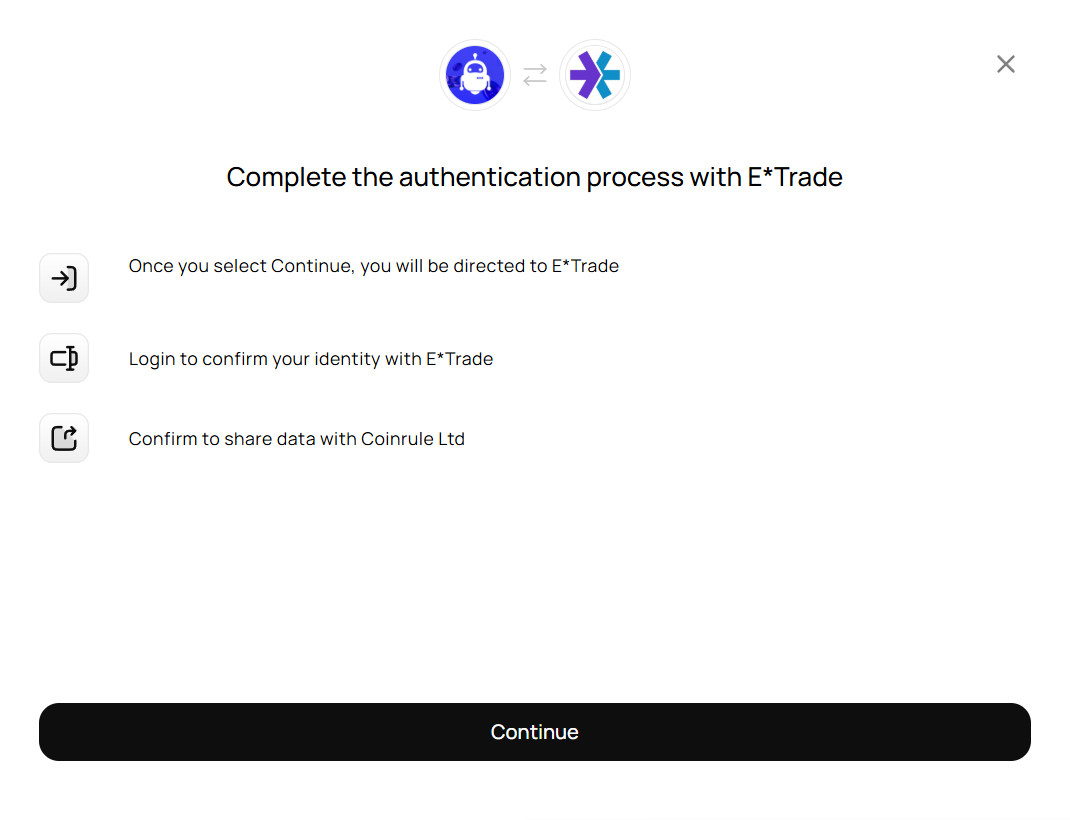
The pop-up will say:
- Once you select Continue, you will be directed to e*trade
- Login to confirm your identity
- Confirm to share data with Coinrule Ltd
Click “Continue” to proceed.
Step 4: Log In to e*trade
You will now be redirected to e*trade's secure login page.
- Enter your e*trade credentials
- Complete any required verification steps (such as 2FA)
This step confirms your identity directly with e*trade.
Step 5: Authorize Coinrule
After logging in, e*trade will ask you to authorize Coinrule to access your account data.
Carefully review the permissions and click “Allow” (or the equivalent confirmation button).
This grants Coinrule secure access via OAuth.
What Happens After Authorization?
Once approved, you will be redirected back to Coinrule and e*trade will appear as a connected exchange. You can now create and launch automated trading rules using your e*trade account. No API keys are required. Everything is handled securely via OAuth.
Why OAuth Is Secure
OAuth provides:
- 🔐 No need to generate or store API keys
- 🔐 Authentication handled directly by e*trade
- 🔐 Secure permission-based access
- 🔐 Easy revocation from your e*trade account if needed
You maintain full control over your account access at all times.