

Using the 'AI Optimizer' feature
Last updated February 19, 2026
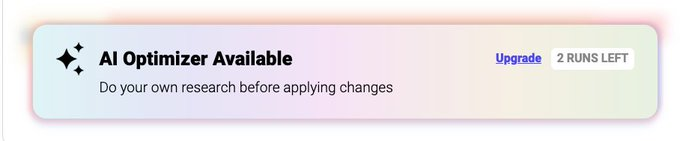
AI Optimizer – How It Works and How to Use It
Coinrule's AI-powered assistant helps you refine your trading strategies right before launching them live. It analyzes your rule logic, suggests potential improvements, and clearly explains the reasoning behind those suggestions.
Whether you're a beginner building your first rule or an advanced trader fine-tuning complex logic, the AI Optimizer is designed to help you launch with more confidence.
What Is the AI Strategy Optimizer?
The AI Optimizer is an intelligent assistant integrated directly into the rule creation flow on Coinrule. It uses trained instances of battle-tested AI models to:
- Analyze your entry and exit logic
- Detect potential structural weaknesses
- Suggest improvements to risk management
- Optimize execution settings
- Explain the assumptions behind its recommendations
Importantly, the AI Optimizer does not automatically change your strategy. It provides structured suggestions that you can review, accept, or decline.
You stay fully in control.
What Can the AI Optimizer Help You With?
The AI Optimizer can assist with:
🔍 Entry Logic Improvements
- Identifying incomplete conditions, Suggesting clearer thresholds (e.g., adding RSI levels or price comparisons), Detecting overly broad logic that might trigger too frequently
🛡️ Risk Management Suggestions
- Highlighting missing stop-loss logic, Suggesting take-profit levels, Recommending basic risk/reward structures
⚙️ Execution Settings
- Adjusting cooldown periods (“Not more than once per X”), Aligning rate limits with selected candle timeframes, Reviewing order sizes in relation to exchange minimums
🧠 Logical Consistency Checks
- Spotting potential contradictions, Identifying missing exit strategies, Clarifying how different blocks interact
The AI Optimizer also explains why each suggestion is made, so you can learn while improving your rule.
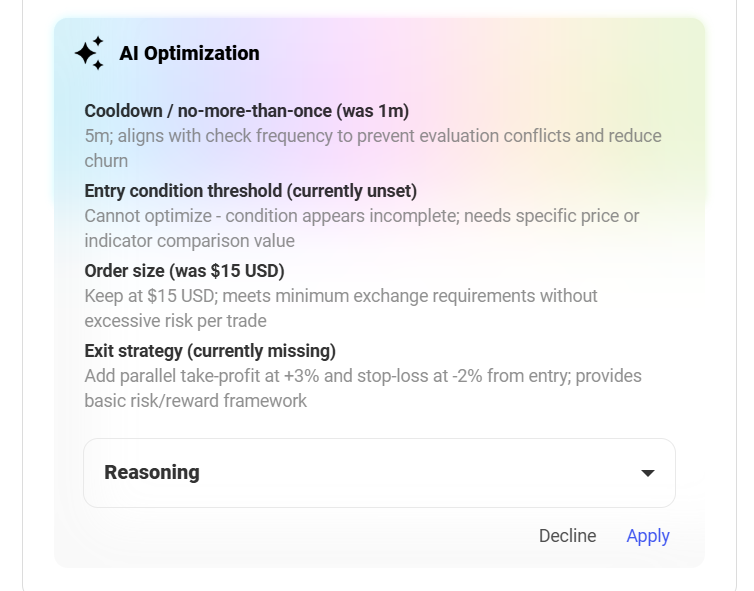
Example ^
How to Use the AI Optimizer
Using the AI Optimizer is simple and fully integrated into the rule launch process.
Step 1: Build Your Rule
Create your trading strategy as usual on the Coinrule rule page.
Add your:
- Conditions
- Actions
- Operators
- Execution settings
Step 2: Click “Optimize”
Before launching your rule, click the “Optimize” button.
The AI Optimizer will analyze your strategy and display a structured list of suggestions.
Step 3: Review Suggestions
You will see recommendations such as:
- Adjusted cooldown timing
- Entry condition improvements
- Risk management suggestions
- Notes about missing exit logic
Each suggestion includes a short explanation describing the reasoning behind the change.
Step 4: Apply or Decline
You can:
- ✅ Apply the suggested changes
- ❌ Decline and keep your original logic
Nothing is modified automatically, the decision is entirely yours.
Important Disclaimer
- The AI Optimizer provides suggestions, not financial advice.
- You are fully responsible for reviewing and approving changes.
- Always test strategies in Demo mode before launching live.
- Market conditions change — no strategy guarantees profits.